
How can I go faster? Scooter not reaching its advertised top speed
Last updated November 5, 2026
A new scooter is speed limited at first to meet most local regulations. The limit is adjustable in the app: the rider is prompted to set it at the first connection and can change it any time later.
First compare with the scooter's rated top speed
The speed the app lets the rider set can be higher than the scooter's rated top speed. A scooter that reaches its rated top speed on flat ground is working as it should, even when the app shows a higher number, and no setting makes it go faster. The rated top speed is on the model's product page.
Example: on the Apollo City Pro 2022 the app's speed setting goes up to 37 mph (60 km/h), while its rated top speed is 32 mph (51.5 km/h). A City Pro 2022 that reaches about 32 mph is at its rated speed. The City Pro 2022 has no Ludo Mode.
If you have not checked the app speed settings yet:
Open the Apollo app, select Sport mode and set the speed value to its maximum.
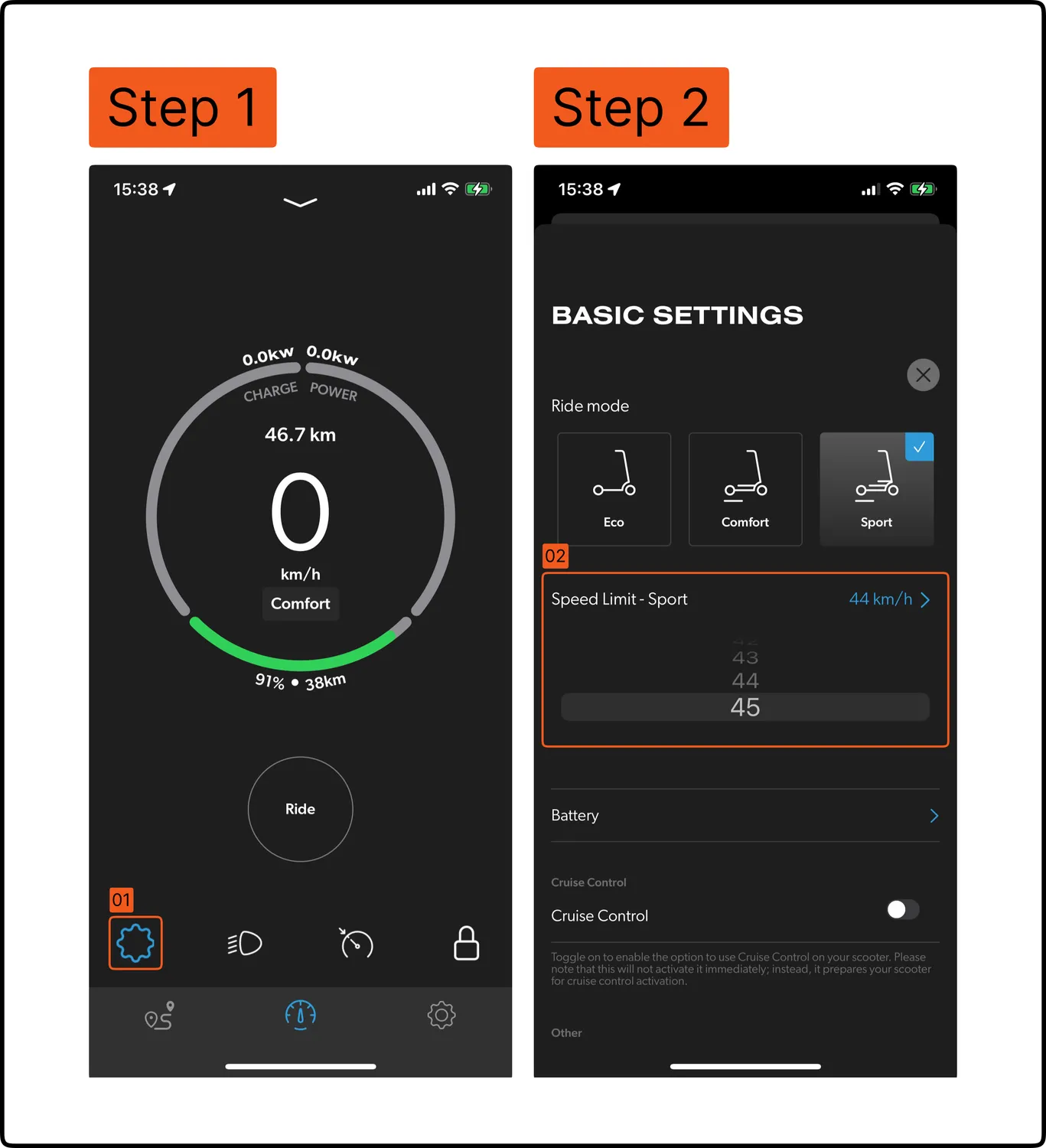
Go to Advanced Settings and set the Top Speed Limit to its maximum value.
Enable Ludo Mode, from the app or by pressing the power button 3 times quickly while the scooter is on. On the Apollo Go 2025 and the Apollo Phantom 2.0 the scooter must be in Ludo Mode to reach the top speed set in step 2.
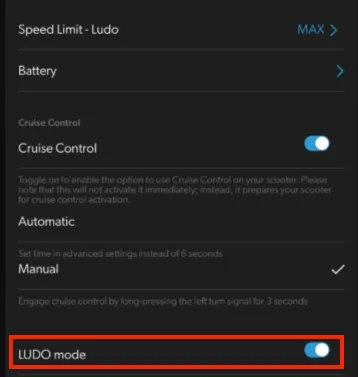
If all settings are maxed out and Ludo Mode is on but it is still slow, check:
Tire pressure: low pressure increases rolling resistance. Inflate to the recommended PSI in the manual.
Rider weight: heavier loads need more motor output, which can reduce top speed.
Terrain: inclines and rough surfaces reduce speed.
Weather: above 30°C the controller throttles performance to cool down, and cold weather reduces battery output.
Brake drag: both brake levers must return fully to rest and the wheels must spin freely by hand.
Apollo advises compliance with local speed regulations and is not liable for any consequences.