How to Remove a Scooter from the App
Last updated October 20, 2026
This guide explains how you can remove a scooter from your app. Follow these steps if you want to delete a scooter from your saved list.
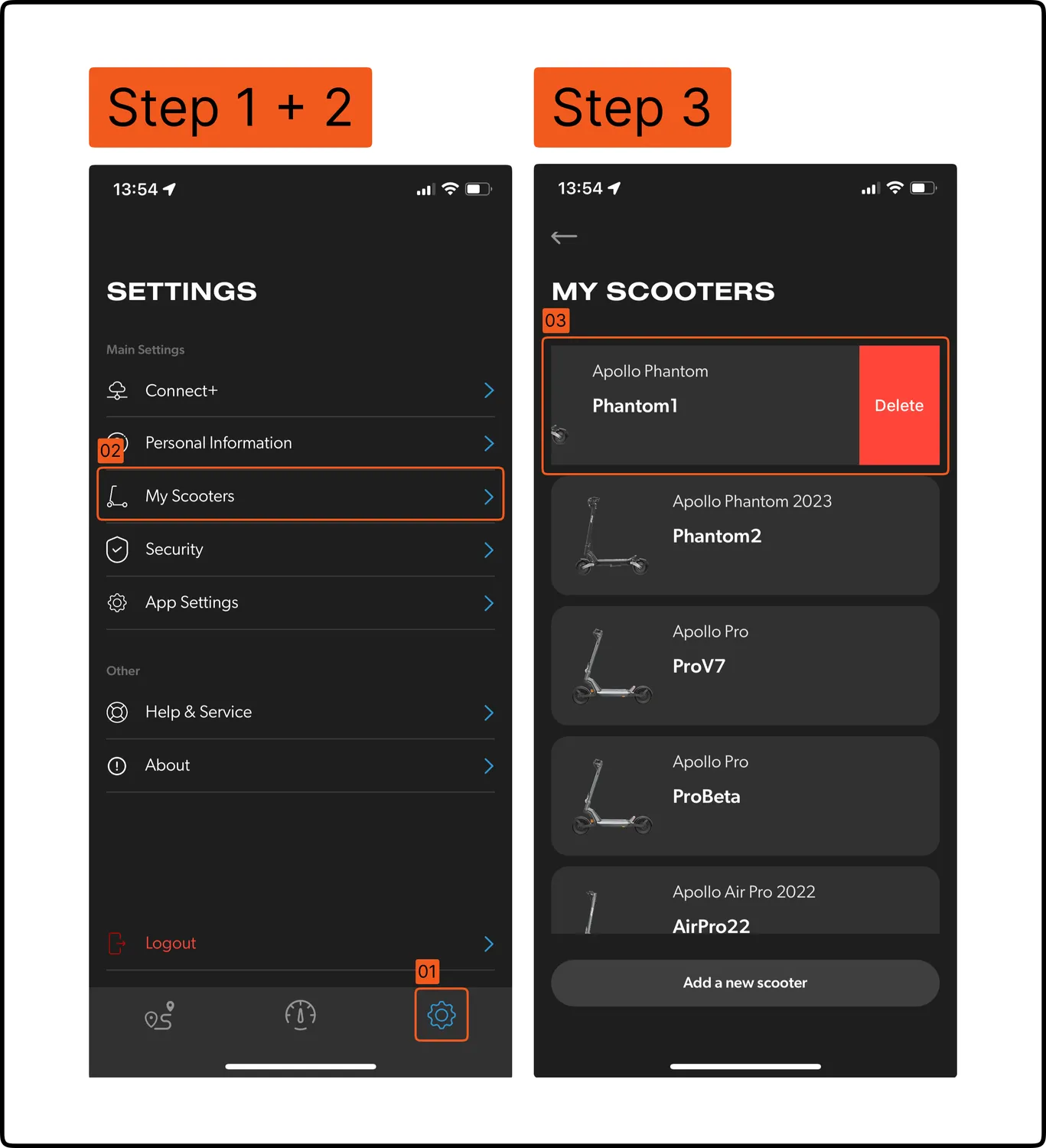
- Go to Settings in your app.
- Tap on My Scooters.
- Swipe left on the scooter you wish to remove; a delete button will appear.
- Tap on the delete button.